🟢 Introduction
In today’s competitive job market, having a professional resume is no longer optional—it is essential. Whether you are applying for internships, freelance work, part-time jobs, or your first full-time opportunity, your resume acts as your first impression on recruiters.
For students, creating a resume can feel confusing and overwhelming. Many don’t know what to include, how to format it, or how to make it stand out. This is where a free resume builder for students becomes extremely useful.
The best part is that you don’t need expensive software or professional help anymore. With modern tools, you can create a clean, ATS-friendly resume in just a few minutes.
In this detailed guide, we will explore everything you need to know about using a free resume builder for students, including tools, tips, formats, and common mistakes to avoid.
🟢 What is a Resume Builder?
A resume builder is an online tool designed to help users create professional resumes using ready-made templates. Instead of designing from scratch, you simply enter your details, and the tool formats everything automatically.
A free resume builder for students typically allows you to:
- Enter your personal and academic details easily
- Choose from modern and professional templates
- Download resumes in PDF format
- Create ATS-friendly resumes
- Improve content using AI suggestions
👉 Many tools also include grammar correction and formatting assistance, making resume creation even easier.
🟢 Why Students Need a Free Resume Builder
Students often struggle with resume creation due to limited experience and lack of guidance. A resume builder simplifies the entire process.
Key Benefits:
✔ Saves time and effort
✔ No design or technical skills required
✔ Provides professional templates
✔ Helps maintain proper structure
✔ Ensures ATS compatibility
Using a free resume builder for students ensures your resume looks professional, even if you have no prior experience.
🟢 Features of a Good Resume Builder
Before selecting a tool, you should check for the following features:
✔ ATS-Friendly Templates
Most companies use Applicant Tracking Systems (ATS) to filter resumes. Your resume must be optimized for these systems.
✔ Easy Customization
You should be able to edit sections like skills, education, and experience easily.
✔ PDF Download Option
Recruiters prefer PDF format because it maintains formatting.
✔ AI Assistance
Some advanced tools help improve grammar, wording, and clarity.
✔ Clean and Minimal Design
A simple layout increases readability and professionalism.
🟢 Best Free Resume Builder Tools for Students (2026)
Here are some of the most popular tools you can use:
1. Canva Resume Builder
- Drag-and-drop interface
- Modern and attractive templates
- Free and premium options
2. Zety
- Professional designs
- Built-in content suggestions
3. Resume.io
- Beginner-friendly
- Quick resume creation
4. Novoresume
- ATS-optimized templates
- Clean and structured layouts
👉 You can also use AI-powered tools to enhance your resume content:
➡️ https://ai.quicktexttool.in
👉 “You can also explore resume templates on Canva:
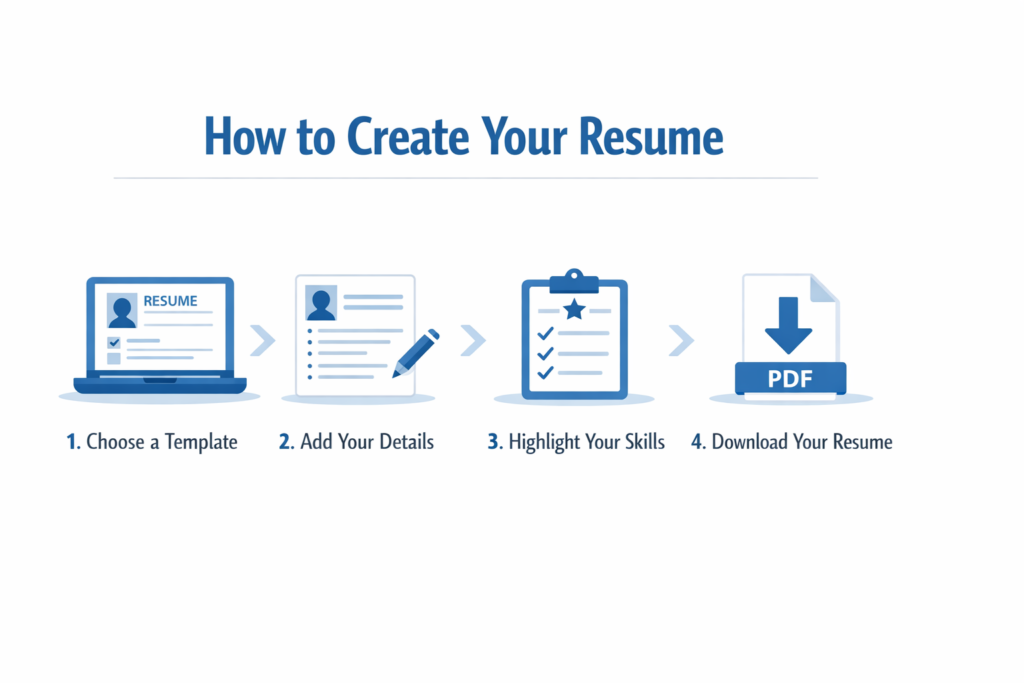
🟢 How to Create Resume in 2 Minutes (Step-by-Step Guide)
Follow these simple steps using a free resume builder for students:
Step 1: Choose a Template
Select a clean and professional design. Avoid overly colorful or complex layouts.
Step 2: Add Personal Information
Include your full name, email address, and contact details.
Step 3: Write a Strong Objective
Example:
“Motivated student seeking opportunities to apply skills and gain practical experience.”
Step 4: Add Education Details
Mention your school/college, course, and achievements.
Step 5: Add Skills
Include both technical skills (e.g., Excel, Word) and soft skills (e.g., communication).
Step 6: Add Projects or Experience
Even if you don’t have job experience, include:
- Academic projects
- Internships
- Volunteer work
Step 7: Download Resume
Export your resume as a PDF file.
🟢 Resume Format for Students
A well-structured student resume should include:
- Header (Name & Contact Details)
- Career Objective
- Education
- Skills
- Projects
- Certifications
- Achievements
👉 Keep your resume clear, simple, and easy to read.
🟢 Common Mistakes to Avoid
Even when using a free resume builder for students, avoid these mistakes:
❌ Spelling or grammar errors
❌ Writing long paragraphs
❌ Using unprofessional email addresses
❌ Adding irrelevant information
❌ Poor formatting
👉 Always proofread your resume before submitting.
🟢 Pro Tips to Make Your Resume Stand Out
🔥 Use action words like Created, Managed, Developed
🔥 Keep your resume limited to 1 page
🔥 Use bullet points instead of long paragraphs
🔥 Customize your resume for each job
🔥 Use AI tools to improve content
👉 You can improve your resume content using:
https://ai.quicktexttool.in
🟢 Benefits of Using AI Resume Tools
AI tools are becoming increasingly popular among students.
They can help you:
- Improve sentence structure
- Fix grammar mistakes
- Suggest better wording
- Optimize resume content
- Save time
👉 Explore AI tools here:
https://ai.quicktexttool.in
🟢 Internal Resource (IMPORTANT FOR SEO)
👉 If you want to explore more helpful tools and guides, visit:
https://quicktexttool.in
🟢 Quick Comparison Table (SEO BOOST)
| Feature | Importance |
|---|---|
| ATS Friendly | High |
| Easy to Use | High |
| Free Templates | Medium |
| AI Support | High |
🟢 Conclusion
Creating a professional resume doesn’t have to be difficult anymore. With the help of a free resume builder for students, you can design an ATS-friendly, clean, and professional resume in just a few minutes.
These tools eliminate the need for design skills and make the process simple and efficient. By following the steps and tips mentioned in this guide, you can significantly improve your chances of getting selected.
Start building your resume today and take the first step toward your career success.
🟢FAQs
What is the best free resume builder for students?
There are many tools like Canva and Resume.io that help students create resumes easily.
Is resume builder free for students?
Yes, many tools offer free versions with essential features.